ORDER BY and DISTINCT
Sql tutorial · PySpark.in
3.5 ORDER BY and DISTINCT
SQL provides clauses such as ORDER BY, DISTINCT, LIMIT, and OFFSET to organize and control query results.
Using these clauses, we can:
- Sort rows
- Remove duplicate values
- Retrieve only required rows
- Implement pagination
Product Table Example
Suppose we have the following product table.
name | category | price | brand | rating |
|---|---|---|---|---|
Blue Shirt | Clothing | 1000 | Puma | 4.3 |
Sports Shoes | Footwear | 4500 | Puma | 4.7 |
Smart Watch | Gadgets | 2500 | Noise | 4.5 |
Mobile | Electronics | 25000 | Apple | 4.8 |
Jeans | Clothing | 1800 | Levi's | 4.4 |
Running Shoes | Footwear | 3500 | Puma | 4.6 |
Earbuds | Electronics | 2000 | OnePlus | 4.2 |
1. ORDER BY Clause
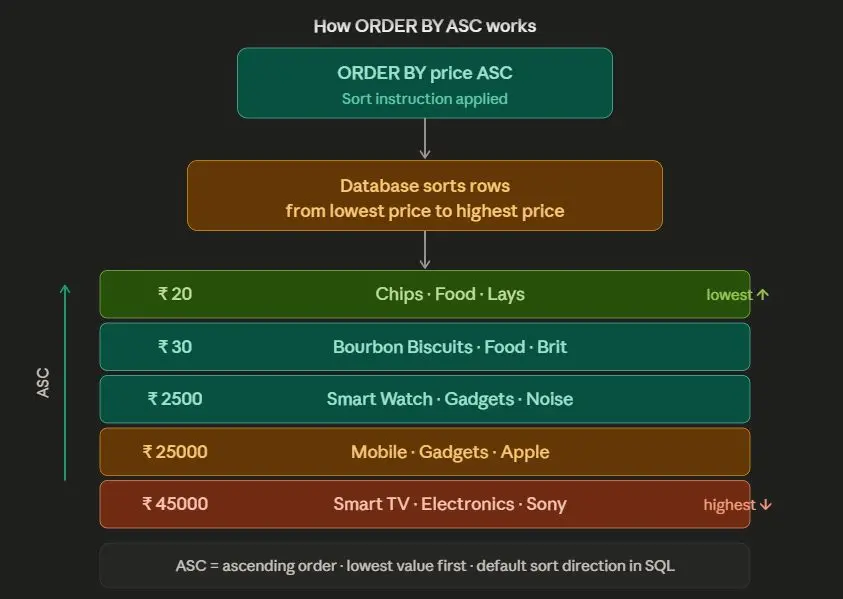
The ORDER BY clause is used to sort rows in a query result.
By default, rows are sorted in ascending order.
Sorting Types
Keyword | Description |
|---|---|
ASC | Ascending order |
DESC | Descending order |
Syntax
```
sql
SELECT column1, column2
FROM table_name
ORDER BY column1 ASC/DESC;
```
Example 1: Sort by Price (Ascending)
Retrieve Puma products ordered by:
- lowest price first
- highest rating first
```
hide
SELECT name, price, rating
FROM product
WHERE brand = 'Puma'
ORDER BY price ASC, rating DESC;
```
Output
name | price | rating |
|---|---|---|
Blue Shirt | 1000 | 4.3 |
Running Shoes | 3500 | 4.6 |
Sports Shoes | 4500 | 4.7 |
How ORDER BY Works
Example 2: Descending Order
Retrieve products ordered by highest rating.
```
hide
SELECT name, rating
FROM product
ORDER BY rating DESC;
```
Output
name | rating |
|---|---|
Mobile | 4.8 |
Sports Shoes | 4.7 |
Running Shoes | 4.6 |
Smart Watch | 4.5 |
2. DISTINCT Clause
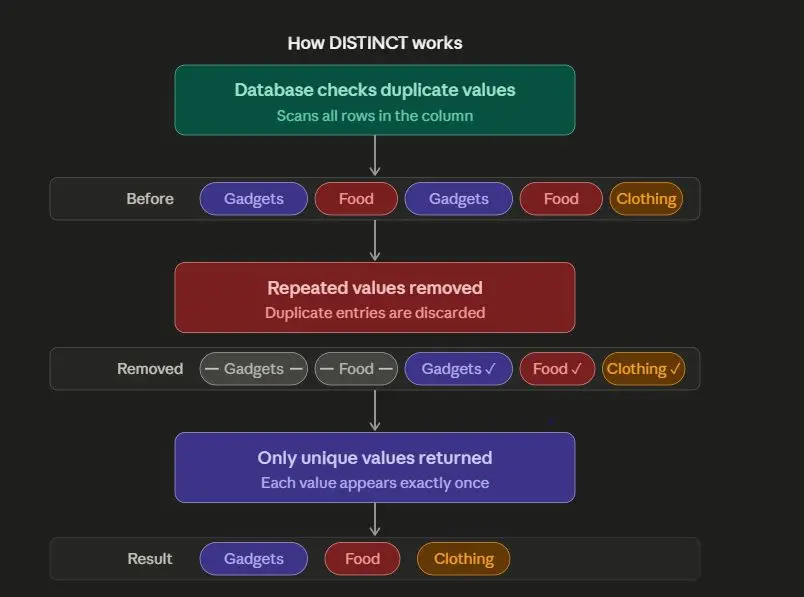
The DISTINCT clause is used to remove duplicate values from the result.
It returns only unique values.
Syntax
```
hide
SELECT DISTINCT column_name
FROM table_name;
```
Example
Retrieve all unique brands from the product table.
```
hide
SELECT DISTINCT brand
FROM product
ORDER BY brand;
```
Output
brand |
|---|
Apple |
Levi's |
Noise |
OnePlus |
Puma |
How DISTINCT Works
Why DISTINCT is Useful
Suppose the table contains:
Puma
Puma
Puma
Apple
Noise
Using DISTINCT:
Puma
Apple
Noise
3. Pagination using LIMIT and OFFSET
Large databases may contain thousands of rows.
Instead of loading everything at once, applications load data in smaller chunks.
This is called pagination.
LIMIT Clause
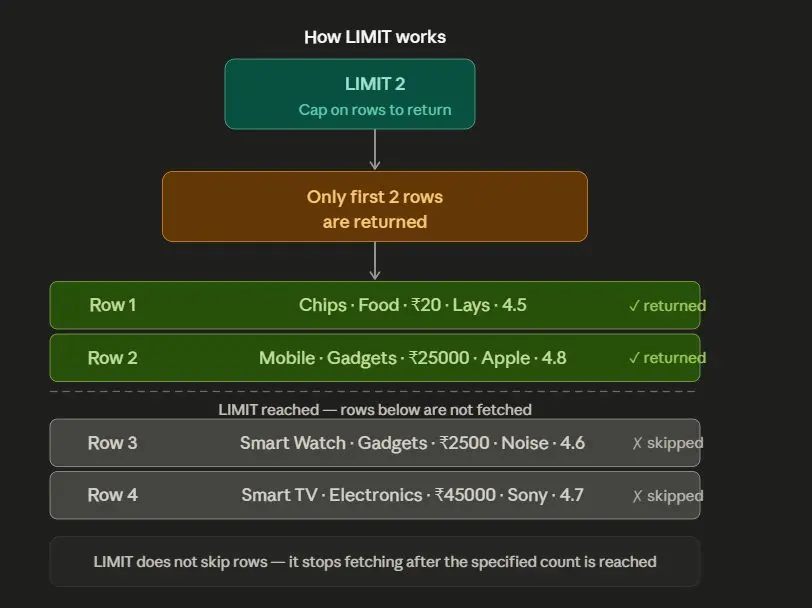
The LIMIT clause restricts the number of rows returned.
Syntax
```
hide
SELECT column1, column2
FROM table_name
LIMIT n;
```
Example
Retrieve top 2 Puma products based on rating.
```
hide
SELECT name, price, rating
FROM product
WHERE brand = 'Puma'
ORDER BY rating DESC
LIMIT 2;
````
Output
name | price | rating |
|---|---|---|
Sports Shoes | 4500 | 4.7 |
Running Shoes | 3500 | 4.6 |
How LIMIT Works
OFFSET Clause
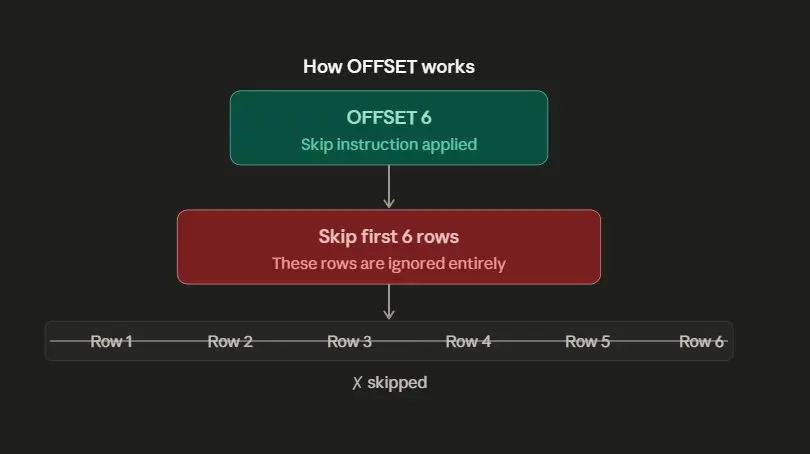
The OFFSET clause skips a specified number of rows before returning results.
Syntax
```
hide
SELECT column1, column2
FROM table_name
LIMIT m
OFFSET n;
```
Example
Retrieve 5 top-rated products starting from the 7th row.
```
hide
SELECT name, price, rating
FROM product
ORDER BY rating DESC
LIMIT 5
OFFSET 6;
```
Understanding OFFSET
Important Note
OFFSET should always be written after LIMIT.
Default OFFSET value is 0.
Complete Example
```
sql
CREATE TABLE product (
name VARCHAR(200),
category VARCHAR(100),
price INTEGER,
brand VARCHAR(100),
rating FLOAT
);
INSERT INTO product (name, category, price, brand, rating)
VALUES
('Blue Shirt', 'Clothing', 1000, 'Puma', 4.3),
('Sports Shoes', 'Footwear', 4500, 'Puma', 4.7),
('Smart Watch', 'Gadgets', 2500, 'Noise', 4.5),
('Mobile', 'Electronics', 25000, 'Apple', 4.8),
('Jeans', 'Clothing', 1800, 'Levi''s', 4.4),
('Running Shoes', 'Footwear', 3500, 'Puma', 4.6),
('Earbuds', 'Electronics', 2000, 'OnePlus', 4.2);
SELECT name, price
FROM product
ORDER BY price ASC;
```
Output
name | price |
|---|---|
Blue Shirt | 1000 |
Jeans | 1800 |
Earbuds | 2000 |
Smart Watch | 2500 |
Step 4: DISTINCT Query
```
sql
SELECT DISTINCT brand
FROM product;
```
Output
Brand |
|---|
Puma |
Apple |
Noise |
Levi's |
OnePlus |
Step 5: LIMIT Query
```
sql
SELECT name, rating
FROM product
ORDER BY rating DESC
LIMIT 3;
```
Output
Name | rating |
|---|---|
Mobile | 4.8 |
Sports Shoes | 4.7 |
Running Shoes | 4.6 |
Common Mistakes
Mistake 1: Forgetting DESC
Wrong
```
hide
ORDER BY rating;
```
This sorts in ascending order by default.
Correct
```
hide
ORDER BY rating DESC;
```
Mistake 2: Using DISTINCT Incorrectly
Wrong
```
hide
SELECT brand DISTINCT
FROM product;
```
Correct
```
hide
SELECT DISTINCT brand
FROM product;
```
Mistake 3: OFFSET Before LIMIT
Wrong
```
hide
OFFSET 5
LIMIT 3;
```
Correct
```
hide
LIMIT 3
OFFSET 5;
```
Summary
Clause | Purpose |
|---|---|
ORDER BY | Sort rows |
DISTINCT | Remove duplicate values |
LIMIT | Restrict number of rows |
OFFSET | Skip rows |
More Sql tutorials
All tutorials · Try the free PySpark compiler · Practice challenges