Retrieving Data
Sql tutorial · PySpark.in
2.3 RETRIEVING DATA
What is SELECT?
The SELECT statement is used to retrieve data from a table.
Using SELECT, we can:
- Fetch all rows
- Fetch specific columns
- Fetch specific rows
- Filter data using conditions
Real-World Example
Suppose we have a player table containing player details.
name | age | score |
|---|---|---|
Virat | 32 | 45 |
Rakesh | 39 | 35 |
Sai | 47 | 30 |
We use SELECT queries to retrieve this data from the database.
Basic SELECT Syntax
```
hide
SELECT column1, column2
FROM table_name;
```
Understanding the Syntax
Part | Meaning |
|---|---|
SELECT | Retrieves data |
column1, column2 | Columns to fetch |
FROM | Specifies the table |
table_name | Name of the table |
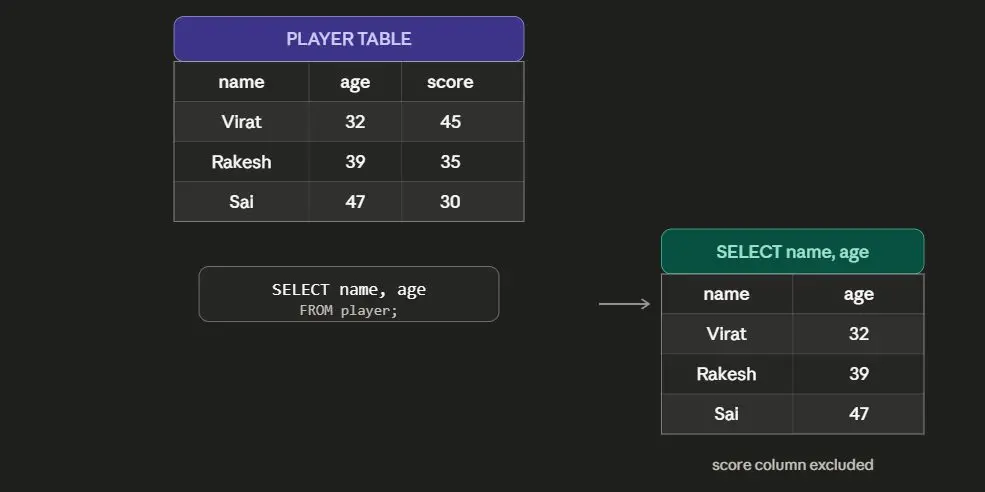
Selecting Specific Columns
Sometimes we need only selected columns instead of the entire table.
Example
Retrieve only:
- name
- age
Visual Representation
Selecting All Columns
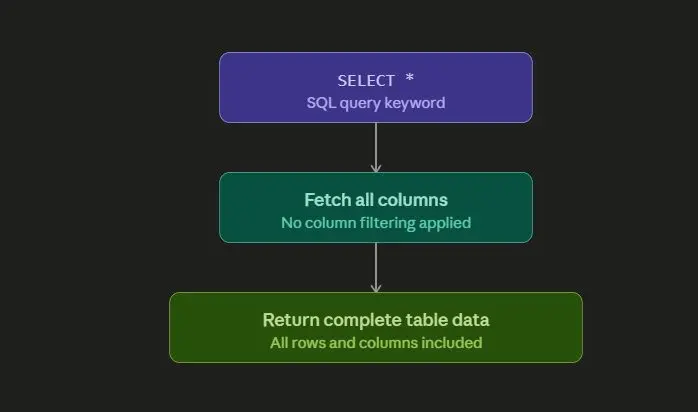
To retrieve all columns from a table, use *.
The * symbol means:
“Fetch everything”
Syntax
```
hide
SELECT * FROM table_name;
```
Example
```
sql
-- Step 1: Create Table
CREATE TABLE player (
name VARCHAR(200),
age INTEGER,
score INTEGER
);
-- Step 2: Insert Data
INSERT INTO player (name, age, score)
VALUES
('Virat', 32, 45),
('Rakesh', 39, 35),
('Sai', 47, 30);
-- Step 3: Retrieve Specific Columns
SELECT name, age
FROM player;
```
Output
name | age | score |
|---|---|---|
Virat | 32 | 45 |
Rakesh | 39 | 35 |
Sai | 47 | 30 |
How SELECT * Works
Retrieving Specific Rows using WHERE
Sometimes we do not want all rows.
We may need only rows matching a condition.
For this purpose, SQL provides the WHERE clause.
WHERE Clause
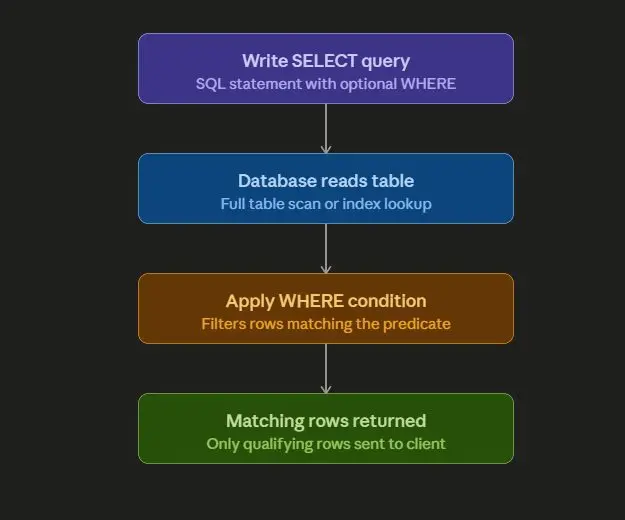
WHERE filters rows based on a condition.
Syntax
```
hide
SELECT *
FROM table_name
WHERE condition;
```
Understanding WHERE
Part | Meaning |
|---|---|
WHERE | Filters rows |
condition | Rule to match rows |
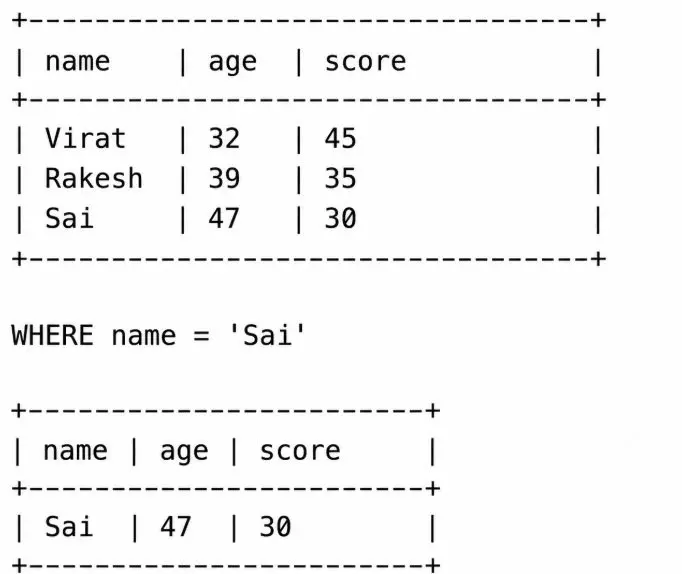
Example
Retrieve details of the player whose name is 'Sai'.
```
sql
SELECT *
FROM player
WHERE name = 'Sai';
```
Flow Diagram
Visual Representation of WHERE
Common WHERE Operators
Operator | Meaning |
|---|---|
= | Equal to |
> | Greater than |
< | Less than |
>= | Greater than or equal |
<= | Less than or equal |
!= | Not equal |
More Examples
Example 1: Players with score greater than 40
```
sql
SELECT *
FROM player
WHERE score > 40;
```
Example 2: Players whose age is less than 40
```
sql
SELECT name, age
FROM player
WHERE age < 40;
```
Important Notes
1. SELECT Does Not Modify Data
SELECT only retrieves data.
It does not:
- Insert data
- Update data
- Delete data
2. WHERE Filters Rows
Without WHERE, all rows are returned.
With WHERE, only matching rows are returned.
3. Use Quotes for Text Values
Text values should be written inside quotes.
Correct
```
hide
WHERE name = 'Sai'
```
Wrong
```
hide
WHERE name = Sai
```
Complete Example
Step 1: View All Players
```
sql
SELECT * FROM player;
```
Step 2: View Only Name and Age
```
sql
SELECT name, age
FROM player;
```
Step 3: View Specific Player
```
hide
SELECT *
FROM player
WHERE name = 'Sai';
```
Summary
Topic | Description |
|---|---|
SELECT | Retrieves data |
SELECT * | Retrieves all columns |
WHERE | Filters rows |
Specific Columns | Retrieves selected columns only |
Specific Rows | Retrieves rows matching conditions |
More Sql tutorials
All tutorials · Try the free PySpark compiler · Practice challenges