Inserting Rows
Sql tutorial · PySpark.in
2.2 INSERTING ROWS
What is INSERT?
The INSERT statement is used to add new rows (records) into a table.
Using INSERT, we can store new data inside the database.
Real-World Example
Suppose we have a player table that stores:
- Player name
- Age
- Score
We use the INSERT statement to add player details into the table.
Syntax of INSERT
```
hide
INSERT INTO table_name (column1, column2, column3)
VALUES
(value1, value2, value3);
```
Understanding the Syntax
Part | Meaning |
|---|---|
INSERT INTO | Command used to insert data |
table_name | Name of the table |
column1, column2 | Columns where data will be inserted |
VALUES | Actual data to insert |
Simple Diagram
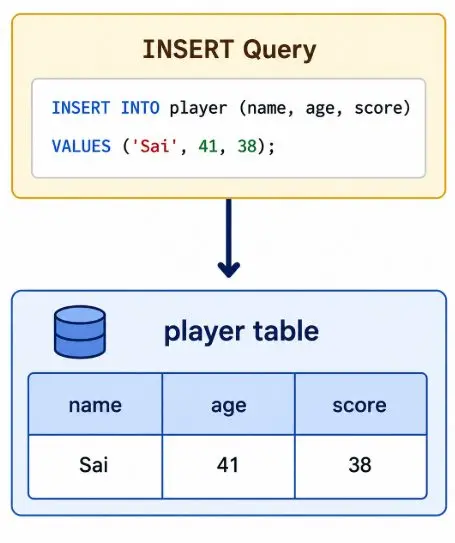
Example: Insert Data into Player Table
We want to insert details of two players.
SQL Query
```
sql
-- Create the table
CREATE TABLE IF NOT EXISTS player (
id INTEGER PRIMARY KEY AUTOINCREMENT,
name TEXT NOT NULL,
age INTEGER NOT NULL,
score INTEGER NOT NULL
);
-- Insert the data
INSERT INTO player (name, age, score)
VALUES
('Rakesh', 39, 35),
('Sai', 41, 38);
-- Verify
SELECT * FROM player;
```
Explanation of the Query
Value | Column |
|---|---|
'Rakesh' | name |
39 | age |
35 | score |
Second row:
Value | Column |
|---|---|
'Sai' | name |
41 | age |
38 | score |
Visual Representation
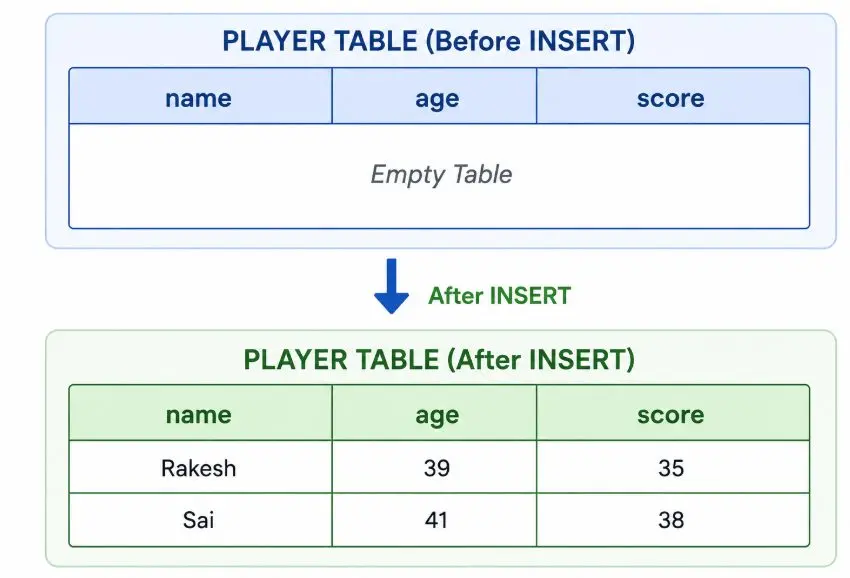
Retrieving Inserted Data
We use SELECT query to view the inserted rows.
Inserting Multiple Rows
SQL allows inserting multiple rows in a single query.
Example
```
sql
INSERT INTO player (name, age, score)
VALUES
('Virat', 31, 90),
('Rohit', 36, 85),
('Dhoni', 42, 75);
```
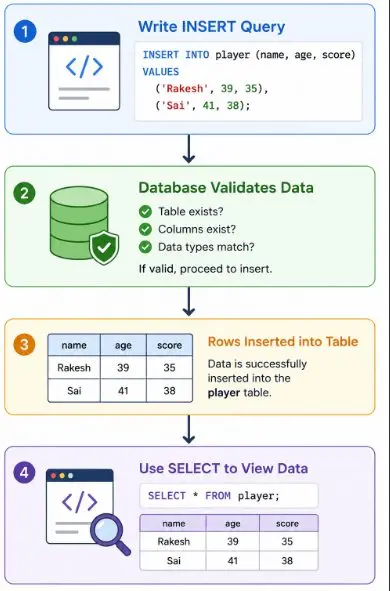
Flow Diagram
Important Rules While Using INSERT
Rule 1: Number of Columns and Values Must Match
The number of values should match the number of columns.
Wrong Example
```
sql
INSERT INTO player (name, age, score)
VALUES ('Virat', 31);
```
Why This Is Wrong?
We specified 3 columns:
- name
- age
- score
But provided only 2 values.
Error
Error: 2 values for 3 columns
Correct Query
```
sql
INSERT INTO player (name, age, score)
VALUES ('Virat', 31, 38);
```
Rule 2: Table Must Exist
We can insert data only into existing tables.
Wrong Example
```
sql
INSERT INTO player_information (name, age, score)
VALUES ('Virat', 31, 38);
```
Why This Is Wrong?
Table player_information does not exist in the database.
Error
Error: no such table: player_information
Rule 3: Avoid Extra Parentheses
Do not add extra parentheses after VALUES.
Wrong Example
```
sql
INSERT INTO player (name, age, score)
VALUES
(('Virat', 31, 38));
```
Correct Example
```
sql
INSERT INTO player (name, age, score)
VALUES
('Virat', 31, 38);
```
Rule 4: Data Types Must Match
Inserted values should match the column data types.
Example Table Structure
Column | Data Type |
|---|---|
name | VARCHAR |
age | INTEGER |
score | INTEGER |
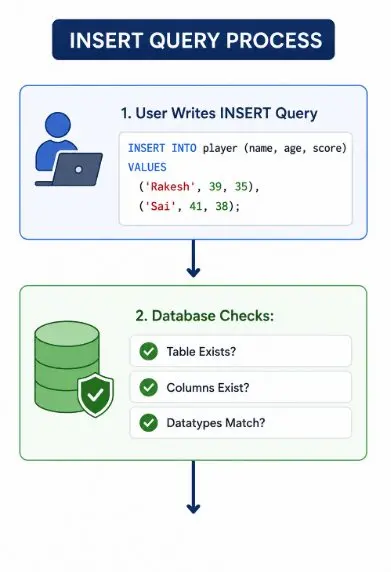
INSERT Query Process
Summary
Topic | Description |
|---|---|
INSERT INTO | Adds new rows into a table |
VALUES | Data to be inserted |
SELECT | Used to view inserted data |
Multiple Rows | Can insert many rows together |
Common Errors | Wrong values, wrong table, datatype mismatch |
More Sql tutorials
All tutorials · Try the free PySpark compiler · Practice challenges