Creating Tables
Sql tutorial · PySpark.in
2.1 CREATE TABLE
What is CREATE TABLE?
CREATE TABLE is used to create a new table inside a database.
A table stores data in the form of:
- Rows → Records
- Columns → Fields/Attributes
Real-World Example
Suppose we want to store details of players such as:
- Name
- Age
- Score
We first create a table called player.
Syntax of CREATE TABLE
```
hide
CREATE TABLE table_name (
column1 datatype1,
column2 datatype2,
column3 datatype3
);
```
Understanding the Syntax
Part | Meaning |
|---|---|
CREATE TABLE | Command used to create a table |
table_name | Name of the table |
column1, column2 | Names of columns |
datatype | Type of data stored in the column |
Simple Diagram
Table: player
+----------------------------------+
| name | VARCHAR(200) |
| age | INTEGER |
| score | INTEGER |
+----------------------------------+
Example: Create Player Table
We want to create a table named player.
Table Structure
Column Name | Data Type |
|---|---|
name | VARCHAR(200) |
age | INTEGER |
score | INTEGER |
SQL Query
```
sql
CREATE TABLE player (
name VARCHAR(200),
age INTEGER,
score INTEGER
);
Select * from player;
```
What Happens After Execution?
After running the query:
- A new table named player is created
- The table will contain 3 columns:
- name
- age
- score
Initially, the table will be empty.
Data Types in SQL
Data types define what kind of values can be stored in a column.
Commonly Used SQL Data Types
Data Type | Syntax | Description |
|---|---|---|
Integer | INT / INTEGER | Stores whole numbers |
Float | FLOAT | Stores decimal numbers |
String | VARCHAR(n) | Stores short text |
Text | TEXT | Stores large text |
Date | DATE | Stores date |
Time | TIME | Stores time |
Date-Time | DATETIME | Stores date and time |
Boolean | BOOLEAN | Stores TRUE or FALSE |
Data Type Examples
Value | Data Type |
|---|---|
25 | INTEGER |
99.5 | FLOAT |
'Rahul' | VARCHAR |
'2025-05-13' | DATE |
TRUE | BOOLEAN |
VARCHAR Explained
VARCHAR stores text data.
Example:
name VARCHAR(200)
This means:
- name column stores text
- Maximum length allowed is 200 characters
INTEGER Explained
INTEGER stores whole numbers.
Example:
age INTEGER
Possible values:
18
25
40
100
Important Notes About Data Types
1. Boolean Values
In many SQL databases:
Boolean | Stored As |
|---|---|
FALSE | 0 |
TRUE | 1 |
2. DATE Format
Date values are written as:
'YYYY-MM-DD'
Example
'2025-05-13'
3. DATETIME Format
Datetime values are written as:
'YYYY-MM-DD HH:MM:SS'
Example
'2025-05-13 10:30:45'
PRAGMA TABLE_INFO
What is PRAGMA?
PRAGMA TABLE_INFO() is used to check the structure of a table.
It gives information such as:
- Column names
- Data types
- Constraints
Syntax
```
hide
PRAGMA TABLE_INFO(table_name);
```
Example
```
sql
PRAGMA TABLE_INFO(player);
```
Output Example
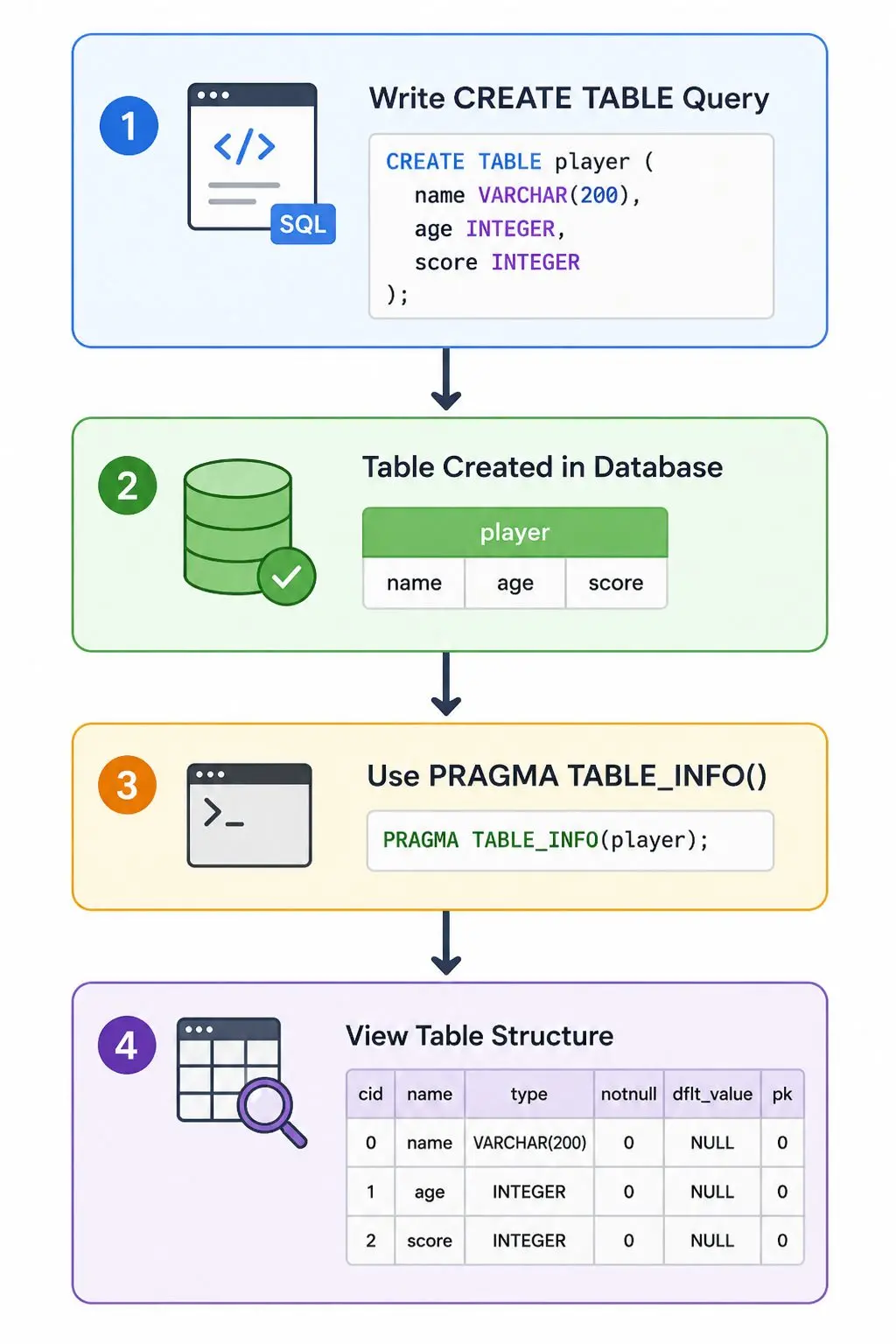
+----+--------+-------------+
| id | name | type |
+----+--------+-------------+
| 0 | name | VARCHAR(200)|
| 1 | age | INTEGER |
| 2 | score | INTEGER |
+----+--------+-------------+
Flow Diagram
Important Note
If the table name does not exist, PRAGMA TABLE_INFO() returns no result.
Summary
Topic | Description |
|---|---|
CREATE TABLE | Creates a new table |
Column | Field inside table |
Data Type | Defines type of data |
VARCHAR | Stores text |
INTEGER | Stores whole numbers |
PRAGMA TABLE_INFO | Displays table structure |
More Sql tutorials
All tutorials · Try the free PySpark compiler · Practice challenges